Parents ask me what happens in an Hour of Code session. The honest answer: your child builds something. That's it. No lectures. No theory. No worksheets. They sit down with a mentor, open Scratch, and build a working project in 60 minutes.
Here's exactly what that looks like.
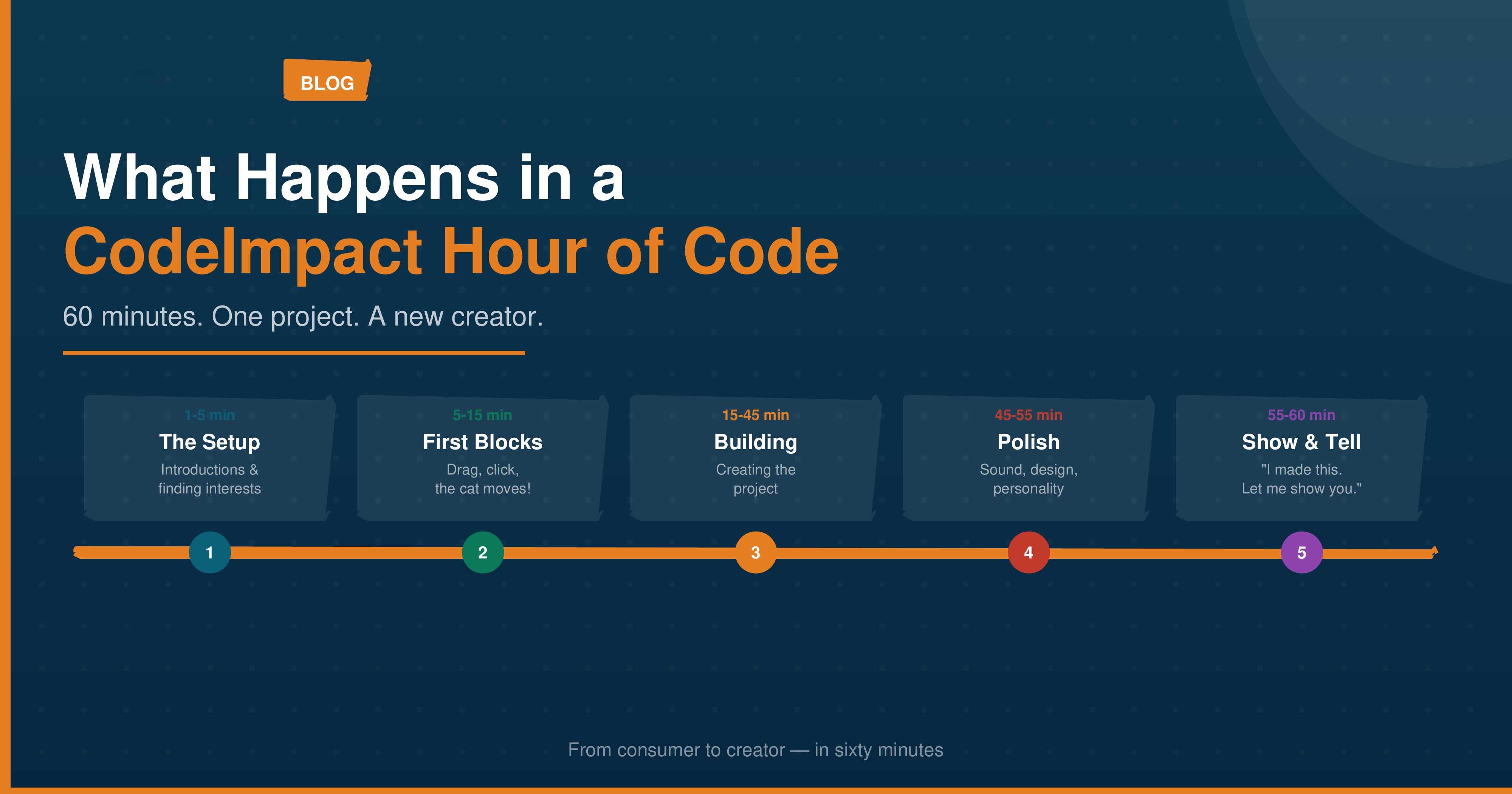 Minutes 1-5: The setup
Your child joins a Google Meet call with their mentor. One-on-one or in a small group of 3-4 kids. The mentor introduces themselves, asks what games or apps your child likes, and gauges their comfort with computers.
No assessment. No test. Just a conversation. The goal is to find out what the child is interested in, because that's what they'll build.
A child who loves cats might build an animated cat game. A child obsessed with space might create a rocket simulator. The project is tailored to the child, not the other way around.
Minutes 5-15: First blocks
The mentor opens Scratch and shows the child how to drag their first block. "Move 10 steps." Click the green flag. The cat moves.
That's the moment. Every child reacts. Some laugh. Some say "cool" quietly. Some immediately ask, "Can I make it go faster?" (Answer: yes. Change the number.)
Within ten minutes, the child has a character that moves, changes direction, and says something. They've used three fundamental programming concepts — sequence, events, and output — without knowing any of those words.
Minutes 15-45: Building
This is the core of the session. The child builds their project with the mentor guiding, not dictating. The mentor asks questions: "What should happen when the character reaches the edge? What if two characters touch each other?"
The child decides. The mentor helps them find the right blocks. Things break. The character walks off the screen. The score goes negative. The background changes at the wrong time.
Each bug is a puzzle. And kids love puzzles.
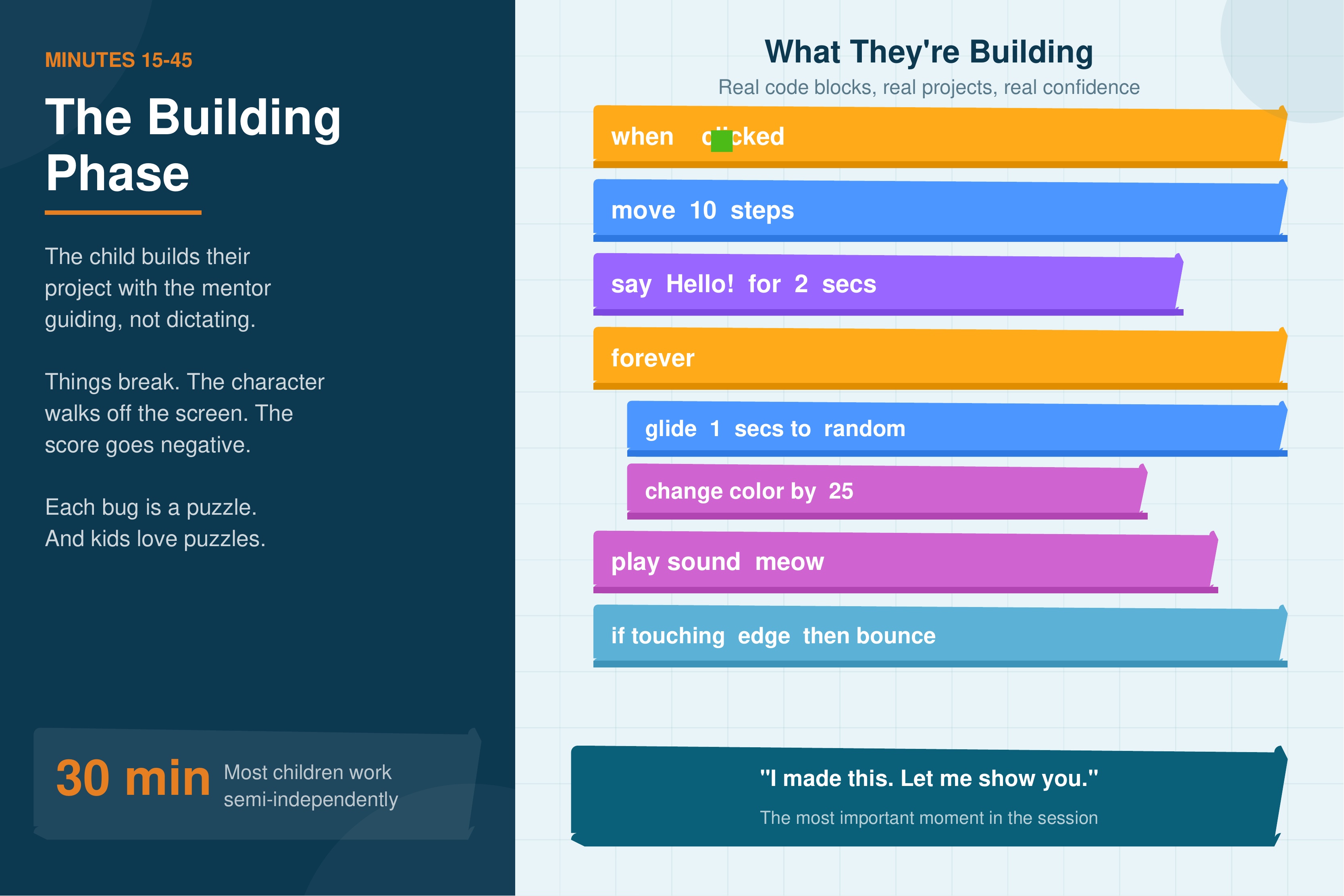 By minute 30, most children are working semi-independently. They're experimenting. Trying blocks. Undoing mistakes. The mentor steps back and lets them explore.
Minutes 45-55: Polish and surprise
The project works. Now it's time to make it better. Add sound effects. Change the backdrop. Make the character bigger when it wins. Add a "Game Over" screen.
This is where personality shows. Some kids go maximalist — every sprite gets a sound, the background changes every three seconds, there are explosions everywhere. Others go minimalist — clean design, simple interactions, nothing extra.
Both approaches are valid. Both teach the same skills. The project reflects the child, and that's the point.
Minutes 55-60: Show and tell
The child presents their project. If parents are nearby, we invite them to watch. The child clicks "play" and shows what they built. They explain how it works. They're proud.
This is the most important part of the session. Not the coding. The confidence. "I made this. Let me show you how."
What you need (and don't need)
You need: A laptop or tablet with a browser. Stable internet (2+ Mbps). A quiet spot.
You don't need: Any software installed. Any prior experience. Any coding knowledge from the parent.
Cost: From UGX 25,000 (around $7). We deliberately keep it affordable because the first session shouldn't be a financial decision.
What happens after?
If your child loved it (most do), our Holiday Program goes deeper with multi-week projects. If they're older, the Python Pathway teaches professional programming.
The real outcome isn't code
After an Hour of Code, your child won't be a programmer. They'll be something better: a kid who knows they can make things with a computer. That confidence changes how they see technology forever.
They go from consumer to creator. In sixty minutes.
Book Your Child's Hour of Code
Pick a time that works for you. Your child brings curiosity. We bring everything else.
Ready to start your coding journey?
Join thousands of students across Africa who are learning to code with CodeImpact's affordable and accessible programs.